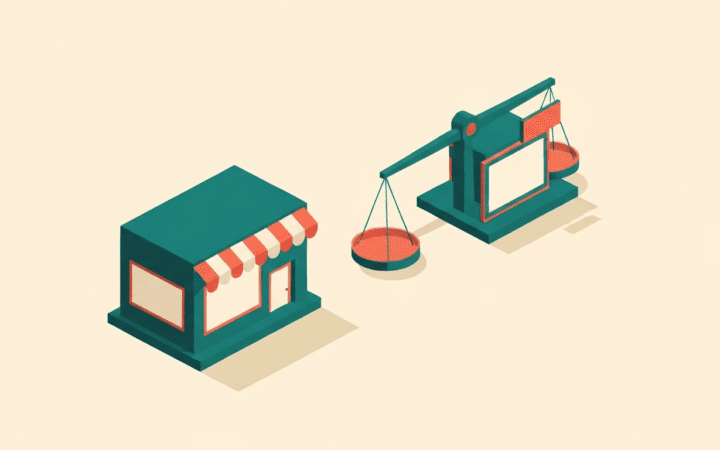
The real cost of a “free” app
Free is a price, not a guarantee that something is worth installing. Every app you add to a Shopify store carries costs that never show up on the invoice: extra scripts that can slow your storefront, another dashboard to learn, another set of permissions to trust, and often snippets injected into your theme that outlive the app itself. A store with a dozen half-used free apps is usually slower, messier, and harder to debug than a store with four that each do a clear job.
So the goal early on is not to collect apps, it is to close real gaps. Before installing anything, ask what specific problem it solves that your store cannot already handle, and whether that problem is one you have today rather than one you might have someday. If you cannot name the gap, you do not need the app yet. The categories below are the ones that most consistently earn their place in a young store.
Email capture and list building
The single most valuable thing a new store can do is start collecting email addresses from day one, because paid traffic and social reach are rented while an email list is owned. A free-tier email app gives you the basics: a signup form or popup, a place for those contacts to live, and the ability to send at least a welcome message and a basic abandoned-cart reminder.
Look for a free tier that covers list capture, a simple welcome automation, and a cart-recovery flow, since those three do most of the early work. Watch where the wall sits: many email tools are generous until your list or send volume grows, then pricing steps up. That is fine, and often worth it, but you want to know the shape of it before you build your whole retention strategy on one tool. Set up the signup incentive and the welcome flow first; fancy segmentation can wait until you have a list worth segmenting.
Product reviews and social proof
A brand-new store has no track record, and shoppers know it. Reviews are how you borrow credibility you have not earned yet, and they influence conversion more than almost any design tweak you could make in the same time. A free reviews app lets customers leave ratings and written feedback, displays them on product pages, and usually sends a post-purchase request asking for a review.
The features that matter early are on-page display of reviews and a working request email; photo reviews and rich-result markup are nice bonuses if the free tier includes them. Do not over-configure this on launch day. Get reviews collecting and displaying, then let real orders start filling it in. An empty reviews widget is harmless; a store that never asks for reviews leaves its most persuasive asset on the table.
SEO and structured data helpers
Shopify handles some SEO basics on its own, but a focused free SEO app fills the practical gaps: bulk editing of title tags and meta descriptions, alt-text management, and structured data (schema) for products and breadcrumbs so search engines and rich results understand your pages. On a catalog of any size, bulk editing alone justifies the install, because hand-editing metadata product by product does not scale.
Be selective here, because this is the category most crowded with tools that overpromise. You want something that helps you do real on-page work faster, not one that claims to guarantee rankings, since no app can. Structured data support and image alt-text tooling are the features to prioritize. Whatever you choose, remember the app is an assistant: it makes good SEO practices easier to apply, it does not replace writing genuinely useful titles, descriptions, and product content.
Product feeds for shopping channels
If you plan to appear on shopping surfaces or run product ads, you need a clean product feed, and generating one by hand is miserable. A free feed app pulls your catalog into the format a shopping channel expects and keeps it updated as products, prices, and stock change. Getting this right early prevents a class of frustrating problems: products rejected over missing attributes, stale prices, or items still listed after they sold out.
The capabilities worth confirming are that the app maps your Shopify fields to the required feed attributes and refreshes automatically on a sensible schedule. Even if you are not advertising on day one, a well-formed feed is foundational plumbing for most shopping-channel visibility, so it is reasonable to set up early and let it run.
Analytics and behavior insight
You cannot improve what you cannot see. Shopify’s built-in reports tell you a lot, and connecting a general web analytics tool is a sensible free baseline for understanding where visitors come from and how they move through the store. Beyond that, lightweight free behavior tools can show you how people actually interact with your pages, which surfaces problems that raw numbers hide, such as a checkout step people abandon or a section nobody scrolls to.
The point of early analytics is not a wall of dashboards, it is answering a few concrete questions: where does traffic come from, where do people drop off, and which products get attention. Resist installing three overlapping analytics apps that all slow the page to tell you similar things. One solid setup that you actually check beats a stack you ignore.
How to add apps without regretting it later
The apps matter less than the discipline around them. A few rules keep a young store clean:
- Install one at a time. Add an app, use it for a while, and confirm it earns its place before adding the next. This also makes it obvious which app caused a slowdown or a bug.
- Read where “free” ends. Know the limits of the free tier before you depend on it, so a pricing wall does not ambush a workflow you have come to rely on.
- Prefer one capable app per job. Overlapping apps compete for the same screen space and script budget and create conflicts. One good reviews app beats two mediocre ones.
- Uninstall cleanly. Removing an app does not always remove the code it injected into your theme. When you drop an app, check for and clear leftover snippets so they do not linger and slow the storefront.
- Re-audit periodically. Every so often, look at your installed apps and remove anything you have stopped using. App creep is gradual and easy to ignore until the store feels sluggish.
Start narrow, add deliberately, and treat each install as a decision rather than a default. A lean store that does five things well is a far stronger foundation than a cluttered one running everything it could find for free.